What Is a Markdown (.md) File and How to Open It
A Markdown file (.md) is a lightweight, human-readable plain text file formatted using intuitive markup symbols. Whether you received a mystery README.md, want to open notes from Obsidian or GitHub, or need to understand how Markdown syntax powers modern AI context windows, this complete guide explains what Markdown files are, how to open them on any device, and how to convert locked documents into clean Markdown.
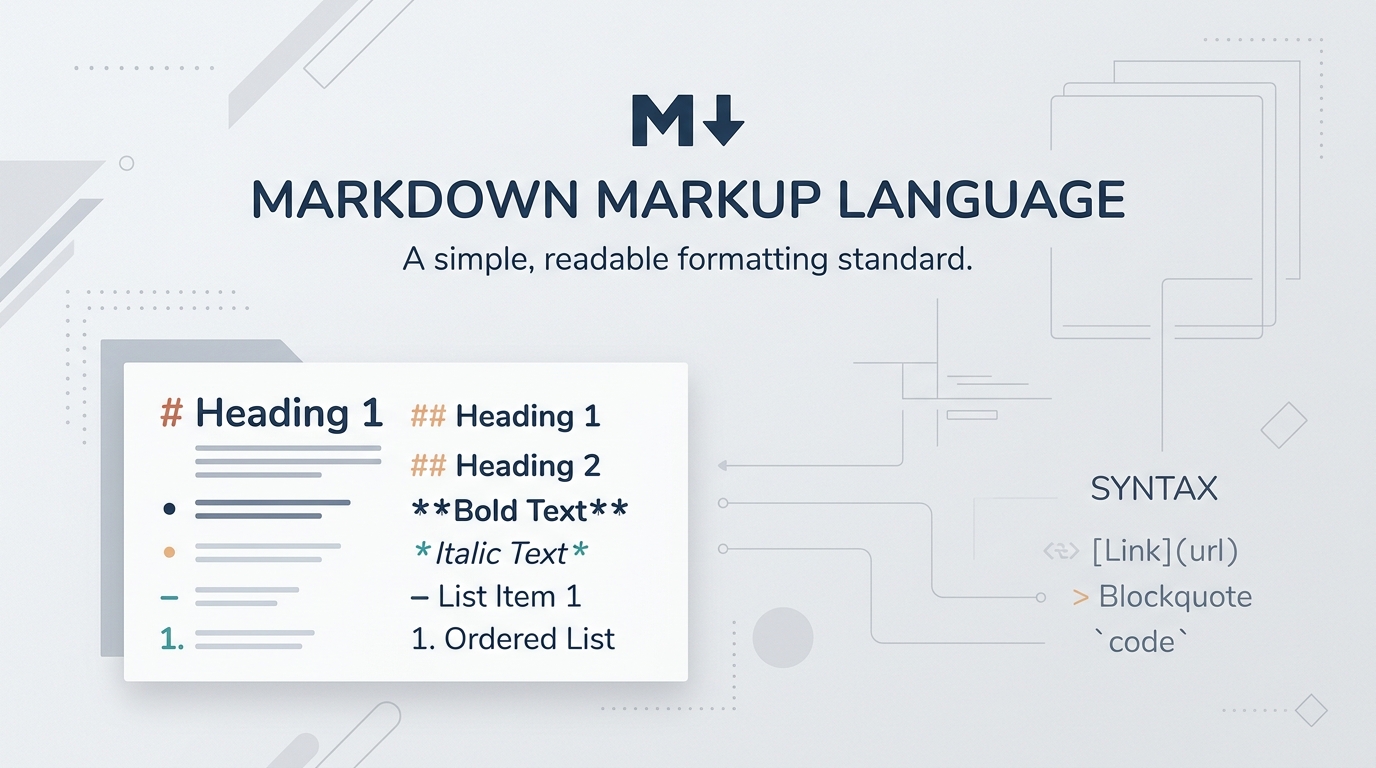
1. What Is a Markdown (.md) File?
A Markdown file is a plain text file saved with the .md or .markdown file extension. Unlike proprietary binary formats such as Microsoft Word (.docx) or Adobe PDF (.pdf), a Markdown file contains pure, unencoded characters that can be read, opened, and edited with any standard text editor on Earth.
The format was created in 2004 by John Gruber with input from Aaron Swartz. The core philosophy was simple yet revolutionary: digital writing should be effortlessly readable in raw form without tags cluttering the author's view, while remaining readily convertible into structured, valid semantic HTML.
1.1 How Markdown Files Work Under the Hood
Inside an .md file, formatting is represented by natural keyboard symbols. For example, placing a hash (#) at the start of a line creates a header, surrounding words with asterisks (**bold**) creates bold text, and prefixing lines with hyphens (-) creates bulleted lists.
Because there are no hidden metadata streams, proprietary compression algorithms, or platform-dependent styling tags, a Markdown file created 20 years ago opens today with zero compatibility friction—and will continue to do so decades into the future.
1.2 Common Extensions (.md, .markdown, .mdown)
While .md is the modern standard recognized worldwide, you may occasionally encounter variations such as .markdown, .mdown, or .mkd. All of these share the exact same underlying plaintext specification and can be opened interchangeably.
Because Markdown is plain text, it requires zero specialized software. You can edit Markdown in any basic editor—from Notepad to Vim—and it will remain accessible decades into the future.
2. What is Markdown? The Syntax Standard Explained
To understand the file, you need to understand the syntax: Markdown is a markup language with plain text formatting syntax. Before Markdown, writing structured articles for the web required tedious HTML tags like <h1>, <p>, <strong>, and <em>. Markdown replaced verbose tags with punctuation marks already familiar to anyone who had ever written an email.
2.1 Core Syntax Reference (The Essentials)
Headings: Use 1 to 6 hash characters (# Heading 1, ## Heading 2, ### Heading 3) to establish hierarchical structure.
Emphasis: Wrap text in single asterisks (*italic*) or underscores (_italic_) for italics, and double asterisks (**bold**) for strong emphasis.
Lists: Begin lines with numbers for ordered lists (1. First step) or hyphens (- Bullet point) for unordered bullet lists.
Links & Images: Create hyperlinks with [Anchor Text](https://url) and embed images with .
Code Blocks: Wrap inline code in single backticks (`code`) and multi-line snippets in triple backticks (```python).
2.2 Why Markdown Won the Web & AI Era
Today, Markdown is everywhere: GitHub READMEs, Reddit comments, Stack Overflow, Obsidian, Notion, Discord, ChatGPT responses, and Claude system prompts. It strikes the perfect equilibrium between human elegance and machine parsing precision.
3. How to Open a Markdown (.md) File (All Devices)
Because .md files are pure plain text, you never need expensive software to open or read them. Depending on whether you want to read raw text, edit syntax, or enjoy a rich visual preview, here are the best options across every operating system:
3.1 Windows 10 & 11
• Instant Plaintext: Right-click the .md file -> Open with -> Notepad. You can read and edit immediately.
• Visual Editor: Download MarkText, Obsidian, or VS Code with the "Markdown All in One" extension for real-time split-screen rendering.
• Built-in Quick Look: Install Microsoft PowerToys to get instant Markdown preview cards directly inside Windows File Explorer.
3.2 macOS (MacBook & Mac Studio)
• Native TextEdit: Open directly in TextEdit (ensure format is set to Plain Text).
• Quick Look Preview: Tap the Spacebar on any selected .md file in Finder. Install "QLMarkdown" for rich rendered previews in Quick Look.
• Dedicated Markdown Apps: Mac users love Typora, iA Writer, Obsidian, and Bear for beautiful, focused writing.
3.3 Web Browser & Online Viewers (No Install)
• GitHub & Gist: Drag the file into a GitHub repository or Gist to render it using GitHub Flavored Markdown.
• FileMarkd: Convert PDFs, Word, and EPUB files into clean Markdown online — or reach for Word to Markdown and Excel to Markdown for Office files.
• VS Code for Web: Navigate to vscode.dev in any modern browser to open and edit .md files with full syntax highlighting.
3.4 iOS & Android Mobile Devices
• iPhone & iPad: Use Apple Notes, Runestone Text Editor, iA Writer, or Obsidian Mobile.
• Android: Use Markor (open-source offline Markdown editor) or Google Keep.
Right-click any .md file, select "Always open with", and choose your preferred editor (such as VS Code or Obsidian) so double-clicking opens it formatted every time.
4. Converting Other Files (PDF, Word, EPUB) to Markdown
While opening an existing Markdown file is effortless, what if your knowledge is locked inside PDFs, scanned papers, Word documents (.docx), or eBooks (.epub)?
Converting these documents by hand or using basic copy-paste results in broken line breaks, jumbled tables, lost mathematical equations, and destroyed header hierarchies.
4.1 Automated AI Conversion with FileMarkd (Markdown & JSON)
Platforms like FileMarkd leverage vision AI models to automatically reconstruct documents into both clean CommonMark Markdown (.md) and structured JSON (.json). It detects tables and outputs clean GFM pipe syntax or structured JSON arrays, converts math to standard LaTeX, and provides semantic chunking ready for RAG pipelines and vector stores. For structured output specifically, see Document to JSON.
4.2 Future-Proofing Your Personal Knowledge Vault
By standardizing your research, contracts, books, and lecture notes into Markdown (.md), you liberate your data from vendor lock-in. Your files will remain universally readable 50 years from now on any device or operating system. For the structured-output side of the same pipeline, see how to open a JSON file.